Business administration summary with AI: turn PDFs into study notes, flashcards & quizzes (2026)
Want to create a business administration (BWL) summary with AI? Here’s a practical workflow (PDF/slides → outline → study notes → flashcards), copy/paste prompts, a tool comparison (ChatGPT, NotebookLM, ChatPDF & more), and an exam-ready approach with okti (2026).
Business administration summary with AI: turn PDFs into study notes, flashcards & quizzes (2026)

In German universities you’ll often see BWL (short for Betriebswirtschaftslehre, i.e., business administration). The content isn’t always “hard” in the mathematical sense—but it’s wide:
- lots of models and definitions
- lots of frameworks
- lots of typical exam question types
That’s why so many students search for: “BWL summary AI”.
AI can save you hours—if you use it as a structured workflow:
- clarify exam requirements
- extract structure and key points
- convert notes into retrieval practice (questions, flashcards, mini tests)
This guide gives you exactly that: a step-by-step workflow, prompts you can copy/paste, and a pragmatic tool comparison.
Brand note: when you see “okti” here, that’s our learning app—always lowercase on purpose.
Table of contents
- Quick takeaway
- What makes a good business administration summary (exam-ready)
- How AI helps (and where it fails)
- Best workflow: PDF/slides → outline → study notes → flashcards
- Copy/paste prompts for AI summaries and flashcards
- Tool comparison table
- Tools explained: who they’re for
- Quality control: prevent AI mistakes
- From summary to exam performance: active recall + spaced repetition
- FAQ
- Conclusion
Quick takeaway
If you want the 60-second version:
- AI is great at structure + compression, but it needs your exam context.
- A summary alone is not enough: convert it into questions + flashcards.
- PDF chat tools (ChatPDF/Humata/AskYourPDF/NotebookLM) are useful when your materials live in documents.
- If you want a repeatable workflow from materials → flashcards → review routine, that’s what okti is designed for.
Turn your slides into flashcards—without copy/paste
With okti you can upload PDFs/slides and generate structured summaries, flashcards and quizzes—built for active recall and spaced repetition.
Try okti for freeWhat makes a good business administration summary (exam-ready)
Many “summaries” are just neat rewrites of the script. That feels productive—but exams test recall and application, not rereading.
An exam-ready summary has three traits:
1) It makes decisions: what matters, what doesn’t
A good BA/BWL summary prioritizes:
- precise definitions (e.g., contribution margin, cash flow)
- key models/frameworks (e.g., SWOT, Porter’s 5 forces, marketing mix)
- formulas plus interpretation (when to use them)
- typical exercise patterns (calculation steps, case prompts)
2) It’s “quiz-able”
If you need to read paragraphs to feel confident, you’re training recognition.
Better outputs:
- bullet points you can explain out loud
- if/then rules
- mini examples
- quick contrasts (A vs. B)
3) It converts smoothly into retrieval practice
The ideal sequence:
summary → questions → flashcards/quizzes → spaced repetition
A summary is not the finish line. It’s raw material for active recall.
How AI helps (and where it fails)
AI is excellent at transforming formats. It’s not automatically excellent at “exam relevance”—that’s your job to specify.
Where AI helps most
A) Structuring
From a messy slide deck AI can generate:
- a clean outline
- learning objectives per section
- a checklist of key terms
B) Compressing
It can reduce content into:
- 10 key bullets
- 20 key terms with 1-sentence definitions
- typical exam questions
C) Converting into learning formats
This is the real leverage:
- notes → flashcards
- chapter → mini quiz
- formula section → “which formula in which situation?”
Common failure modes
- invented details (hallucinations), especially definitions
- long explanations instead of short exam answers
- missing examples (frameworks stay abstract)
Treat AI output as a draft. Always verify formulas, definitions, and any numbers/examples.
Best workflow: PDF/slides → outline → study notes → flashcards
This workflow works with ChatGPT, NotebookLM, or PDF chat tools.
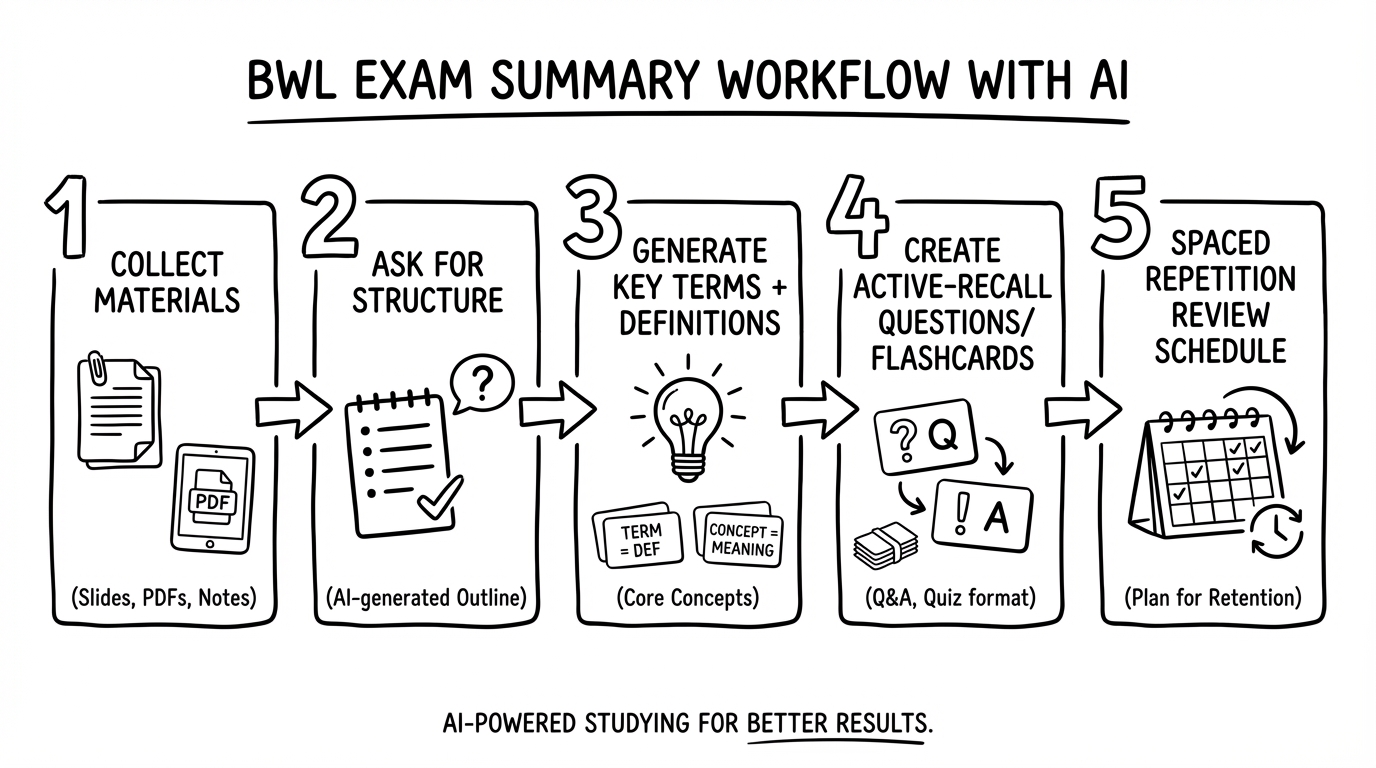
Step 0: Set your constraints (30 seconds)
Answer:
- exam type (MCQ, calculations, case study, open questions)
- scope (which chapters?)
- level (intro course vs. advanced finance)
Step 1: Limit one session to one block
Examples:
- cost accounting: contribution margin + break-even
- marketing: STP + 4Ps
- finance: NPV + IRR
Step 2: Ask AI for outline + learning objectives
Aim for 1 page of structure, not 10 pages of prose.
Step 3: Convert to “exam format”
Requirements:
- 3–7 bullets per subtopic
- formulas: formula + variable meanings + when to use + a tiny example
- 2 retrieval questions per subtopic
Step 4: Generate flashcards + a mini quiz
From the final notes:
- 20–40 flashcards
- 10 mixed quiz questions
Full walkthrough: create flashcards from a PDF with AI.
Step 5: Review with spaced repetition
Don’t keep rereading. Review what’s weak—on a schedule.
- Day 1: 20–30 new cards + 10 quiz questions
- Day 2: review due cards + 1 calculation exercise
- Day 3: review + 10 new cards
- Day 4: review + 1 case question (apply framework)
- Day 5: review + mixed mini test
- Day 6: review + focus on error cards
- Day 7: review + 20-minute closed-book self test
Copy/paste prompts for AI summaries and flashcards
These prompts are designed to produce exam-ready outputs (not just nice text).
Prompt 1: outline + objectives
You are my business administration study tutor.
- Level: [your level]
- Exam type: [MCQ / calculations / case study]
- Topic/material: [chapter / file / section]
Tasks:
- Create a clear outline (max 10 points)
- For each point, write one learning objective (“I can …”)
- List 15 key terms with a 1-sentence definition
Prompt 2: study notes (1–2 pages)
Summarize the material as study notes. Requirements:
- 3–7 bullets per subtopic
- no long paragraphs
- formulas: formula + explain variables + when to apply
- finish with 5 typical exam questions (with short model answers)
Prompt 3: flashcards
Create 30 flashcards from the study notes. Rules:
- each card tests exactly one thing
- answers max 2 sentences or a formula
- mix: 40% definitions, 40% understanding (why/how), 20% application Output as a table: Front | Back | Tag
Prompt 4: calculation exercises
Create 5 typical calculation exercises for [topic]. For each:
- problem statement
- solution steps (schema)
- full solution
- two common mistakes
Materials → flashcards → review routine
okti is built to turn your real PDFs/slides into flashcards and quizzes—so you practice retrieval instead of rereading.
Open oktiTool comparison table
| Tool | Works with PDFs/files | Citations/sources | Outline support | Flashcards/quizzes | Review routine |
|---|---|---|---|---|---|
| oktiEmpfohlen | Yes | Partial | Yes | Yes | Yes |
| ChatGPT | Plan-dependent | Partial | Yes | Yes | No |
| NotebookLM | Yes | Yes | Yes | Partial | No |
| ChatPDF | Yes | Yes | Partial | Partial | No |
| Humata | Yes | Yes | Partial | Partial | No |
| AskYourPDF | Yes | Partial | Partial | Partial | No |
Tools explained: who they’re for
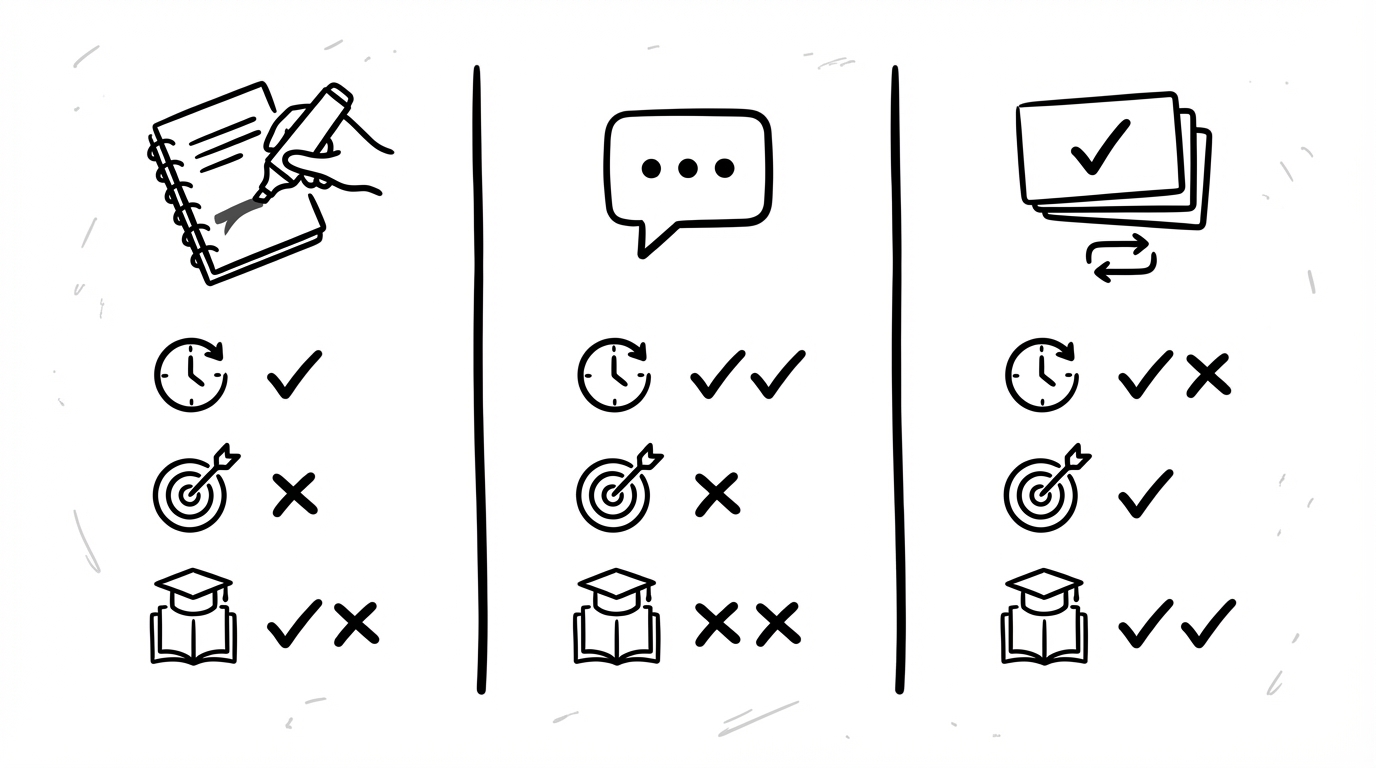
ChatGPT
Great for explanations, rewriting into bullet points, and generating flashcards and quizzes. Best when you can provide clean input and you verify critical facts. Copy/paste templates: how to use ChatGPT for studying.
NotebookLM
Useful when you want to work from your sources with citations. Great for research-style summarizing. If it doesn’t fit your workflow, see the best NotebookLM alternatives in 2026.
PDF chat tools (ChatPDF, Humata, AskYourPDF)
Perfect when your course materials are PDFs and you want:
- “Where does it say that?”
- quick clarifications
- targeted extraction
They’re often less focused on a full exam workflow.
okti
Optimized for the practical sequence:
materials → structured notes → flashcards/quizzes → spaced repetition routine
New in 2026: okti’s AI chat (beta) answers questions about your uploaded documents — the PDF viewer even has its own chat tab for the open file — and can generate flashcards, quizzes or notes directly in your workspace (you confirm changes before they’re applied). Generated flashcards keep a source link to the exact page.
- PDF/slides → study notes
- Flashcards + quizzes
- Spaced repetition routine
- Strong explanations
- Flexible prompts
- Built-in review routine
- Ask questions in-context
- Citations
- Exam workflow out of the box
Quality control: prevent AI mistakes
A simple 5–10 minute check saves you from expensive errors:
- verify definitions against your script
- verify formulas and variable meanings
- request a tiny numeric example and compute it yourself
- shorten any flashcard answer that takes >30 seconds to say
- turn every mistake into an “error card”
The biggest improvement is not a perfect summary—it’s consistent review of your weak points.
From summary to exam performance: active recall + spaced repetition
If you only summarize, you’re still mostly reading. To perform in exams, you need retrieval and application — that’s active recall.
Active recall
For each chapter:
- 10–20 short questions
- 5 calculation exercises (or templates)
- 2 case prompts (apply a framework)
Spaced repetition
A simple schedule (background: spaced repetition explained):
- day 1 (create)
- day 2 (review)
- day 4 (review)
- day 7 (review)
- day 14 (review)
Timed practice
In the final week:
- do 2 mini tests per week (20–40 minutes)
- closed book
- analyze mistakes → create new cards
Make your summary a repeatable system
okti helps you go from PDFs to flashcards and quizzes—and then keeps you on a review routine, so you practice every day with minimal friction.
Try okti for freeFAQ
Can I create a business administration summary with AI for free?
Usually yes—many tools have free tiers. Just expect limits (pages, files, daily requests). Workflow quality matters more than the tool.
Is using AI summaries allowed?
For learning: often yes. For graded submissions: check your university/course rules and cite sources properly.
Summary vs. flashcards—which is better?
Both, in the right order:
- summary for structure
- flashcards/quizzes for active recall
How many flashcards should I make?
Rough guidance:
- 20–60 per chapter (depends on density)
- 30–150 reviews per day (20–40 minutes)
Conclusion
An AI-generated business administration summary can save you hours. But the real win is turning that summary into a learning system:
outline → study notes → questions → flashcards → spaced repetition
If you want that end-to-end workflow with minimal copy/paste, okti is built for exactly that.