Free AI Flashcard Generator: Create Study Cards in Seconds!
Stop wasting time on manual flashcard creation. Learn how to use a free AI flashcard generator to create digital study cards from your notes, PDFs, or text in seconds.
Free AI Flashcard Generator: Create Study Cards in Seconds!
Flashcards are one of the most effective learning methods for retaining knowledge long-term. By using active recall and spaced repetition, even complex topics can be mastered sustainably. But many students face the same problem: manually creating flashcards is not only time-consuming but also prone to errors. This entire process can be optimized with modern technology like artificial intelligence (AI).
In this article, I’ll show you how to generate your own custom flashcards for free in seconds and how to study with them effectively.
Overview:
Why Flashcards Are So Effective
When learning with flashcards, you use proven principles of learning psychology to anchor knowledge in your long-term memory.
Through Active Recall, the process of retrieving information from our memory, our neural connections are strengthened. In combination with targeted reviews at the right time intervals (Spaced Repetition), a learning process occurs where what has been learned is transferred to our long-term memory and can thus be retained for the long haul.
Using digital flashcards offers additional advantages here:
- Automatic Review Intervals: Optimal time intervals for reviews are determined by spaced repetition algorithms that analyze your learning progress. They show you the flashcards again just before you’re about to forget them. This makes the learning process more efficient without you having to worry about scheduling.
- Multimedia Integration: Images, audio recordings, or videos can be directly embedded into the flashcards. This makes learning more varied, visual, and helps in understanding complex content.
- Available Anytime, Anywhere: With apps on your smartphone or web applications in your browser, your learning materials are always at your fingertips. This allows you to prepare for an exam on the way to university or during a break.
- Easy Organization and Updates: Flashcards can be quickly created, edited as needed, and sorted into thematic decks or folders. Many platforms also allow you to share flashcards with other users or access ready-made learning materials from the community.
Example: What a Flashcard Looks Like
Question / Front: What is the main benefit of Spaced Repetition?
Answer / Back: Information is reviewed at optimal intervals, which strengthens long-term memory and prevents forgetting.
The Downsides of Manual Flashcard Creation
In most cases, manually creating flashcards costs more time than it’s worth. Hours are often spent going through notes and transferring them into a flashcard format. Instead of just copying content, this time should be invested in the actual learning process.
Added to this is the susceptibility to errors: Especially with extensive study materials, there’s a risk of overlooking important information or creating low-quality flashcards due to a lack of understanding.
In short: writing flashcards by hand is tedious, slow, and rarely efficient.
AI as the Solution: Generate Flashcards Automatically
Artificial Intelligence (AI) is not only revolutionizing the way we learn, it’s also taking over the tedious preparation work, making the creation of study materials faster and more efficient than ever before.
Instead of spending hours writing flashcards by hand, the AI analyzes your learning materials like lecture slides, textbooks, or your own notes and automatically creates precise questions and answers. It is capable of recognizing connections and generating structured learning content.
The advantages at a glance:
- Time-Saving & Efficiency: In seconds instead of hours. Free and ready to study immediately.
- Precision: Automatically error-free, consistent content.
How to Create Free AI Flashcards (Step-by-Step)
With the okti study app, you can generate free AI flashcards:
-
Go to okti.
-
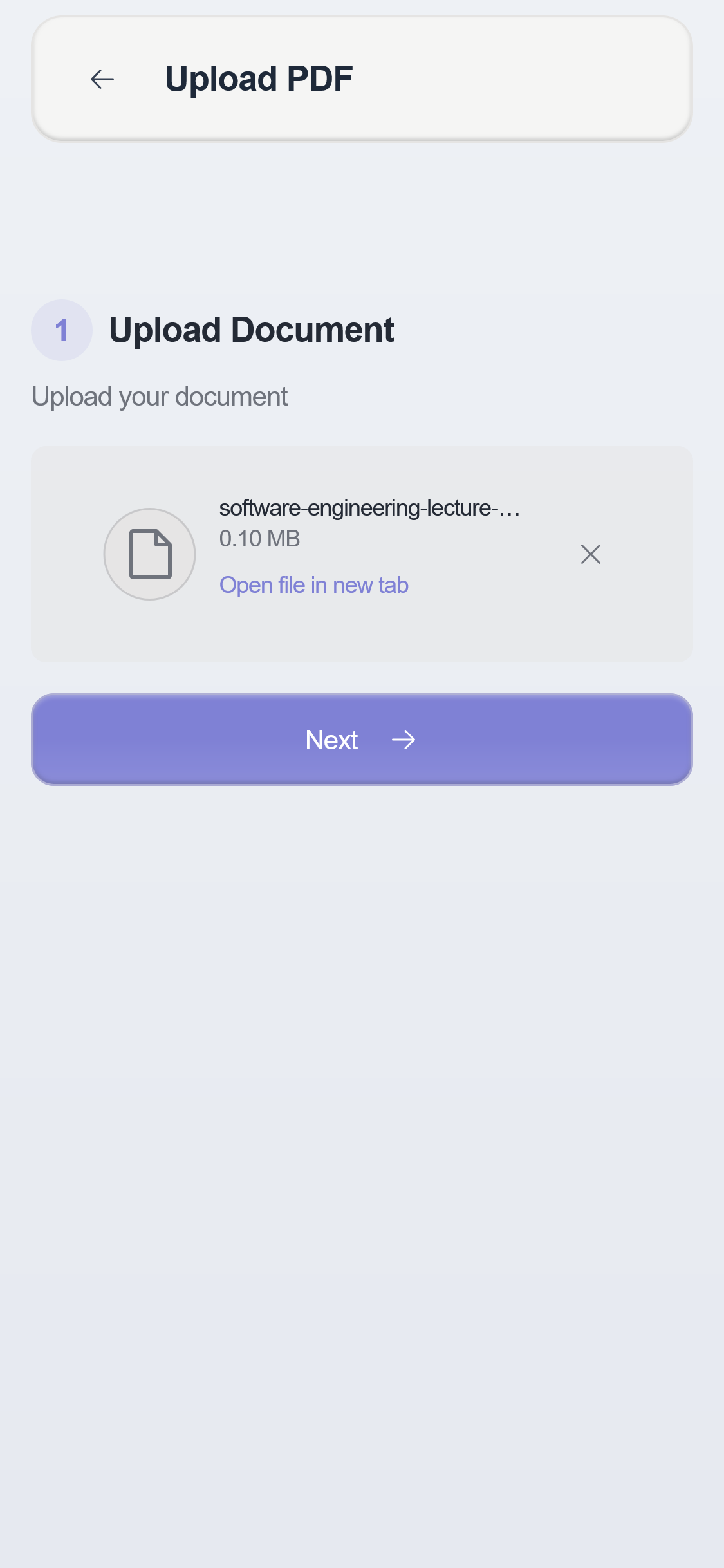
After successful registration, you can upload a document right in the onboarding process and automatically generate your first set of flashcards.
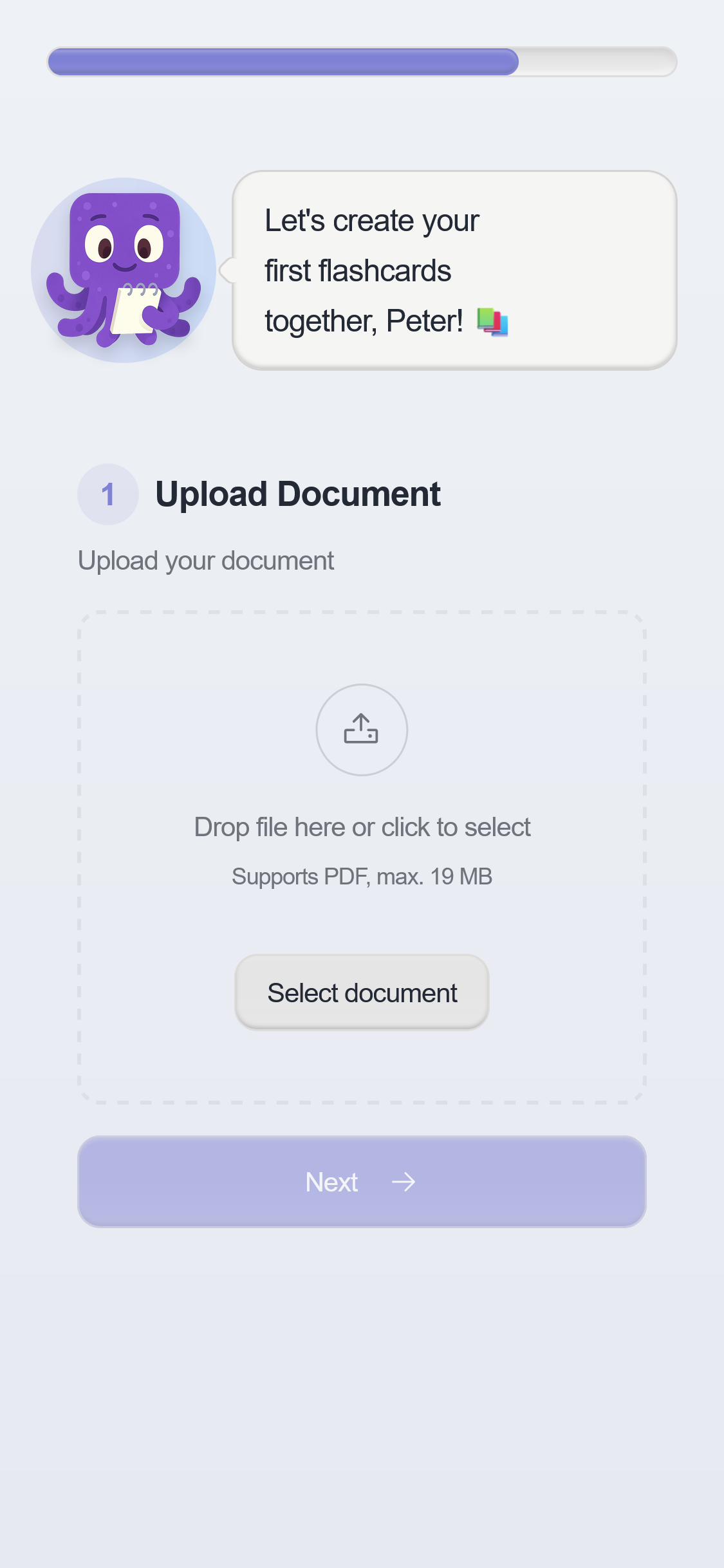
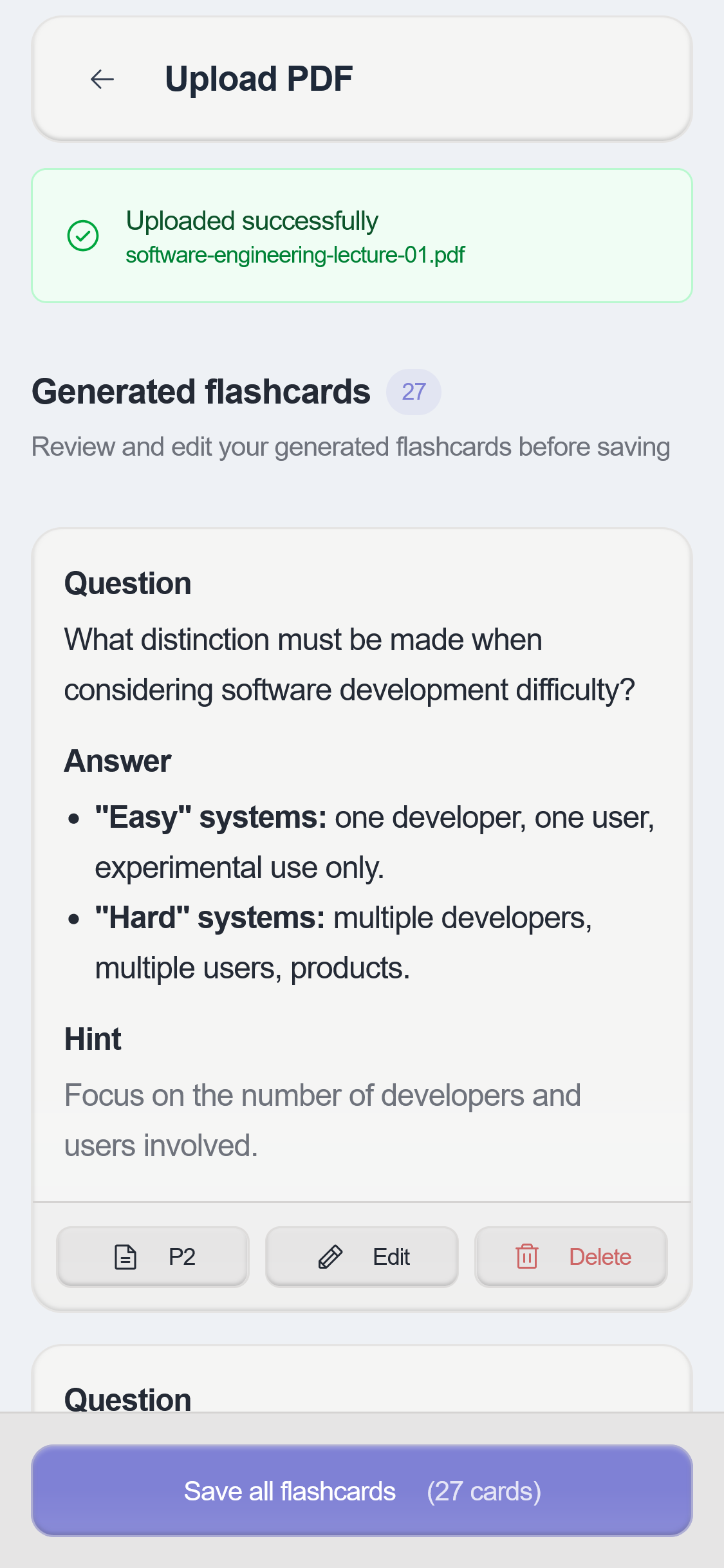
- Review the generated flashcards. Adjust the questions and answers if necessary.
If you want to generate more flashcards after onboarding:
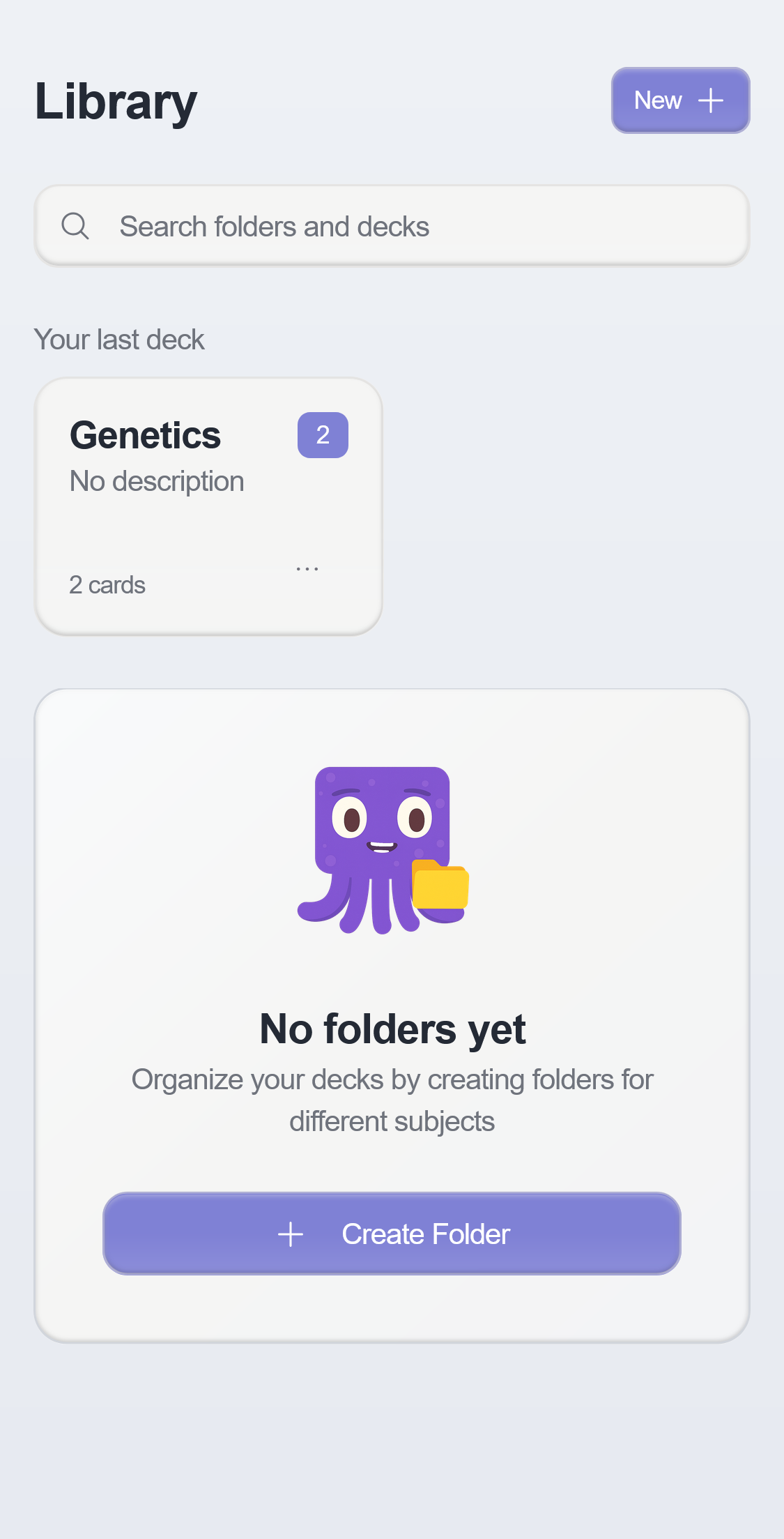
- Navigate to your library with your flashcard decks and click the “New +” button to create a new deck.
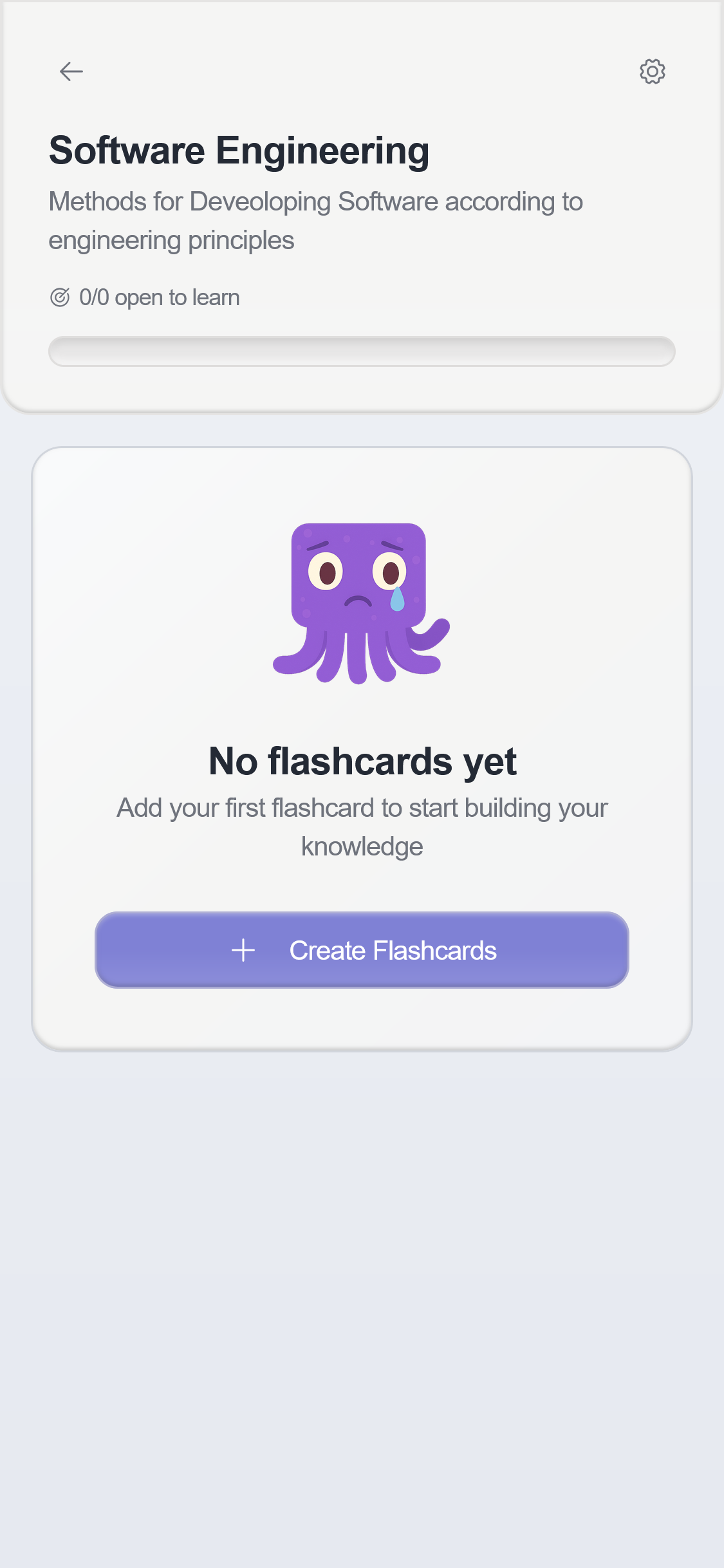
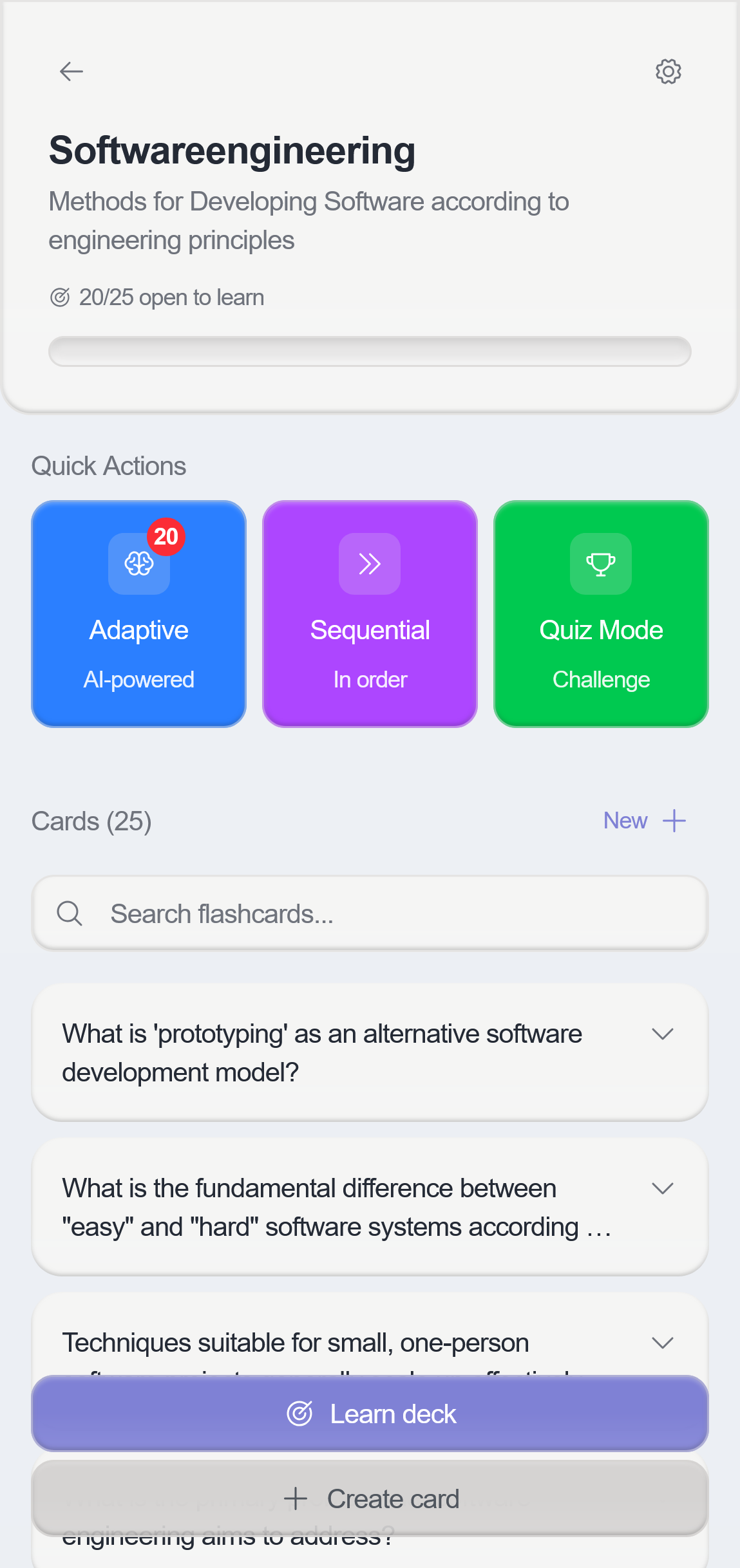
- Click on your newly created deck to open it. In this detail view, you can now create new flashcards by clicking the ”+ Create Card” button.
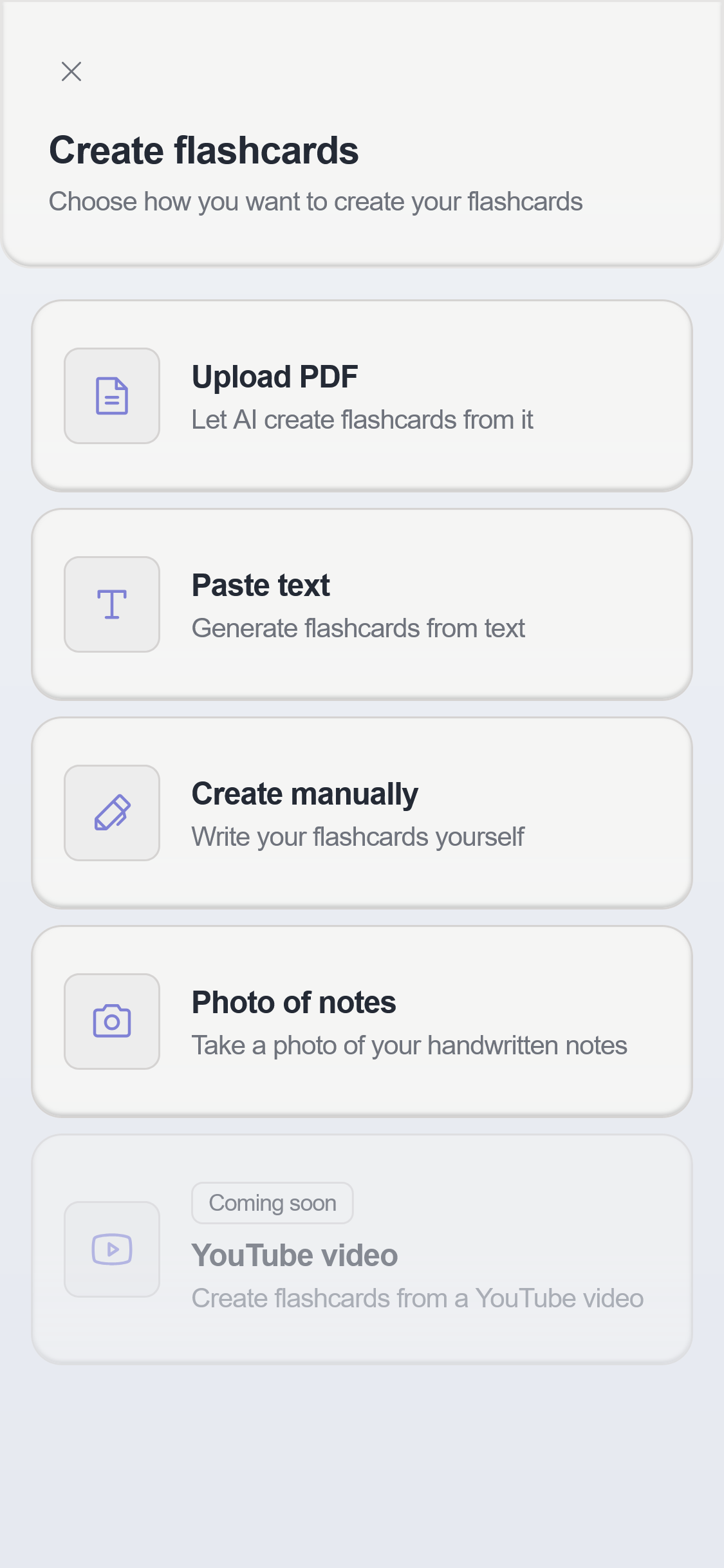
- Now, depending on the format of your study materials, select either “Upload PDF”, “Paste Text”, “Photo of Notes” or “YouTube Video”. For the video workflow, see our guide on creating flashcards from YouTube videos.
- Depending on what you selected, you can now either upload a file (PDF .pdf — here’s a detailed guide to creating flashcards from a PDF), upload a photo or paste text directly. On the next page you can set generation settings like the coverage depth, card types or custom instructions like “Focus on definitions” or “Include examples”. Click the “Generate” button to proceed.
- Review the generated flashcards. Adjust the questions and answers if necessary, or delete them entirely, and then click “Save All Cards.”
- Start studying directly in okti! Choose between the adaptive study mode with Spaced Repetition, the classic sequential mode, or the interactive Millionaire Quiz.
Tips for Studying with Digital Flashcards
To get the full effect of digital flashcards, it all comes down to using them correctly:
Consistency is key: Short daily study sessions of 20-45 minutes are more effective than weekly marathon sessions or cramming. During intense study phases, like before exams, schedule deliberate breaks to maintain your concentration.
Structured time management: Start studying early and enter exam dates and milestones into your calendar. A clear study plan helps avoid stress and internalize content sustainably.
Use Spaced Repetition optimally: Review flashcards that you find particularly difficult more frequently than easy ones. This way, you use your time optimally to solidify your knowledge where it’s needed most.
Be honest with yourself: Answer each flashcard deliberately and actively retrieve the answer from your memory to achieve a learning effect. Afterward, critically check: Did I know everything? Did I mention all relevant content?
Tip: Use intelligent support from study apps Apps like okti automatically adjust the review intervals to your learning progress; you just need to focus on studying. You can also record your answers as a voice message or write them down. The AI analyzes your answers and gives you individual feedback, so you can immediately identify gaps and deepen your understanding. Additionally, you can choose between different study modes and even generate interactive mini-games like the “Millionaire Quiz” from your flashcards.
Every generated card also keeps a source link to the exact page of your document (“View source”), and an “Explain” button breaks the answer down in simple words when something is unclear. And if you keep getting a card wrong, okti’s Tutor mode offers to explain the topic in a short interactive lesson.
Want to learn more about what sets okti apart from other study apps? For app comparisons, see our Quizlet alternatives guide.
Frequently Asked Questions (FAQ)
How accurate are the automatically created flashcards? The AI extracts content with high precision. Since it uses your study materials—like lecture slides, scripts, or notes—to generate questions and answers, the resulting content is generally very reliable and technically correct. You can review all cards before studying and adjust them individually if needed. This gives you the perfect combination of automation and personal control.
Can’t I just generate AI flashcards directly in ChatGPT? Yes, that’s possible. However, unlike chatbots such as ChatGPT, Claude, or Gemini, okti is specialized directly in generating and learning flashcards, offering several key advantages:
-
Format and Time-Saving: Flashcards are created directly in the correct format and don’t need to be manually copied or reformatted into another study app. You don’t have to switch between tools; you can use okti directly for studying.
-
Spaced Repetition Integrated: Unlike chatbots, okti lets you study with intelligent review intervals. You’ll be automatically reminded when it’s time to review your content to achieve optimal learning success.
-
Organization: You can save your cards in decks, access them at any time, and customize them as needed.
-
Built-in Chat: okti now also includes a Chat (beta) that answers questions grounded in your own documents, notes, and decks — so you get chatbot-style help without leaving your study material.
Is it really free? Yes, the basic functions are free. You can start creating and learning right away.
Conclusion
Flashcards have been one of the most effective learning methods for decades. AI makes creating them revolutionarily simple. Instead of spending hours manually transferring content, okti allows you to generate precise and well-structured flashcards from your study materials in seconds.
The combination of automatic creation, various study modes with Spaced Repetition, and individual AI feedback on your answers makes okti a study companion that saves you time, avoids errors, and sustainably improves your learning success.
Whether for exam preparation, university, school, or lifelong learning: with okti, you have your digital flashcards ready at any time, making your learning process more efficient and successful with the help of artificial intelligence.