How to use ChatGPT for studying: prompts, flashcards, study plans & common mistakes (2026)
A practical guide to using ChatGPT as a study tutor: better explanations, active-recall quizzes, flashcards, summaries, realistic study plans, and practice problems—plus prompt templates you can copy/paste.
How to use ChatGPT for studying: prompts, flashcards, study plans & common mistakes (2026)

ChatGPT can be an excellent study partner—or a clever way to waste time. The difference is not the model. It’s your workflow.
If you use ChatGPT to generate answers, you often skip the exact thing you need in an exam: retrieval. If you use it like a tutor, you can learn faster, practice better, and spot gaps earlier.
In this guide you’ll get:
- a simple mental model (tutor, not cheat sheet)
- copy/paste prompt templates
- practical workflows: explanations, quizzes, flashcards, summaries, study plans, practice problems
- common mistakes (and how to avoid them)
Table of contents
- The 3 rules that make ChatGPT actually useful for learning
- Setup: the first message you should always send
- Workflow 1: explain it like a tutor (and challenge me)
- Workflow 2: generate active-recall questions + a mini quiz
- Workflow 3: create flashcards (Anki/Quizlet/CSV)
- Workflow 4: a summary that’s actually studyable
- Workflow 5: a realistic study plan for an exam
- Workflow 6: practice problems + feedback (without sabotaging yourself)
- Common mistakes
- Privacy, citations, and university rules
- FAQ
- Conclusion
The 3 rules that make ChatGPT actually useful for learning
Rule 1: Use ChatGPT as a tutor, not an answer generator
The goal is to understand, practice retrieval, and correct mistakes. Not to outsource thinking.
If ChatGPT is doing the hard part, you’re not training the skill you need in the exam.
Rule 2: Specify level, goal, and format
“Explain X” is too vague. Provide:
- your course level (e.g., 2nd-year CS)
- your goal (exam in 2 weeks, want to solve typical problems)
- the output format (overview → steps → quiz)
Rule 3: Ask for structure—and verify facts
ChatGPT can be wrong. So build verification into your workflow:
- ask for uncertainty markers
- request sources (when possible)
- test with edge cases
- cross-check with your lecture notes
Setup: the first message you should always send
Copy/paste template:
You are my study tutor.
- Level: [your level]
- Goal: prepare for an exam and be able to apply the concept
- Style: concise explanations, lots of examples, highlight common mistakes
- Process: explain → ask me questions → grade my answers strictly
- Output: start with a short overview, then step-by-step, then 10 active-recall questions
Here are my notes (excerpt):
[paste a definition / short section / an exercise]
Tasks:
- Summarize the key ideas in 5–8 bullets
- Generate 8 active-recall questions
- Create 2 practice problems with solutions
- List 5 common exam mistakes

Figure: A simple workflow that turns ChatGPT into a study tutor instead of an answer machine.
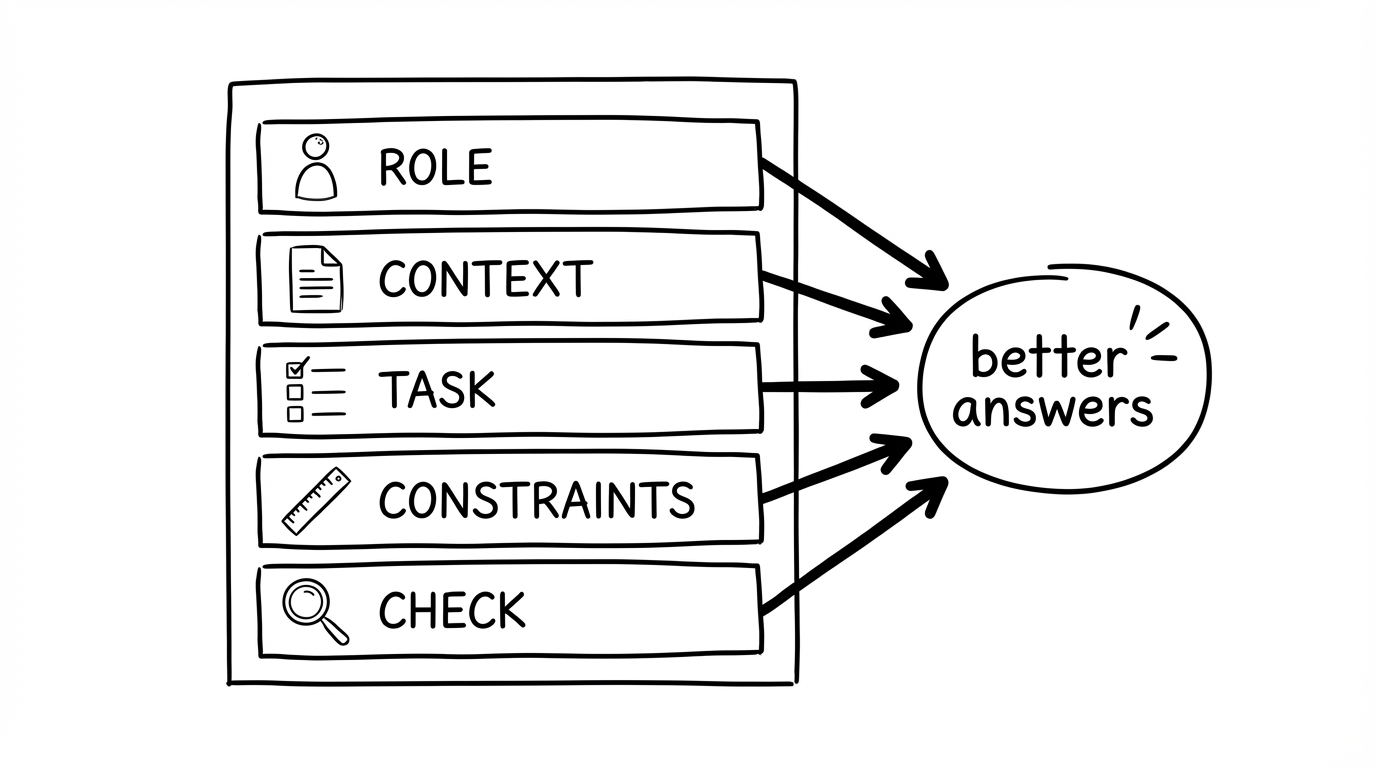
Figure: A prompt formula you can reuse for explanations, quizzes, flashcards, and study plans.
Workflow 1: explain it like a tutor (and challenge me)
Prompt:
Explain [topic] so I can teach it in an oral exam.
- Start with an intuition/analogy (max 5 sentences)
- Give a formal definition + 2 key properties
- Provide 2 examples and 1 counterexample
- Then ask me 5 questions to check understanding
- After I answer, correct me strictly and fill gaps
Workflow 2: generate active-recall questions + a mini quiz
Prompt:
Create a mini quiz on [topic]:
- 10 questions (mix: short answer, fill-in-the-blank, true/false)
- increasing difficulty
- after each question, wait for my answer
- then give feedback + a short explanation
- point out common traps
Why this matters: active recall beats rereading—the quiz forces you to retrieve, not just recognize.
Workflow 3: create flashcards (Anki/Quizlet/CSV)
Prompt:
Create 25 flashcards on [topic].
- Each card tests exactly one thing
- Format: question → short answer
- 30% conceptual (why/how), 50% definitions/facts, 20% application
- Output as a table: Front | Back | Tag
For import:
Output as CSV (semicolon-separated), no markdown.
Always do a quick fact-check—small errors in definitions/formulas are costly.
Tip: if your source is a PDF, you can skip the copy/paste entirely. In okti, the built-in PDF viewer has a chat tab—the AI chat (beta) answers questions about the open document and can create flashcards and quizzes directly in your workspace. Cards from okti’s PDF flashcard generator keep a link to the source page, so you can check them against the original.
Turn slides into flashcards—without copy/paste
With okti you can upload PDFs/lecture slides and generate flashcards & quizzes from your real materials—perfect for active recall and spaced repetition.
Try okti for freeWorkflow 4: a summary that’s actually studyable
Prompt:
Summarize [text] for studying:
- 8 key bullet points
- 5 terms + short definitions
- 3 typical exam questions
- 3 common misconceptions
- 10 active-recall questions
Workflow 5: a realistic study plan for an exam
Prompt:
Build a study plan for [course/exam].
- Exam date: [date]
- Time available: [e.g., weekdays 2h, Saturday 4h]
- Syllabus/topics: [list]
- Goals: understanding + practice problems + review
Requirements:
- Include review days (spaced repetition)
- Include buffer time (min 15%)
- Every session has a concrete output (e.g., 30 questions, 10 problems, 1 one-pager)
- End with a checklist: “Am I on track?”
For the full planning method, see how to create a study plan for an exam.
Workflow 6: practice problems + feedback (without sabotaging yourself)
Prompt:
Create 8 practice problems on [topic], increasing difficulty.
- Show only the problems first.
- Wait for my solution.
- Then give feedback + a model solution + one alternative approach.
- Mention expected common mistakes.
- If I’m wrong, give a hint first (max 2 sentences), not the full solution.
Common mistakes
- Too broad prompts → lots of text, little learning
- Reading instead of retrieving → feels productive but isn’t
- Asking for full solutions too early → kills practice
- No verification → errors sneak in
- Over-optimizing prompts → the workflow should be boring and repeatable
Repeatability beats novelty.
Privacy, citations, and university rules
- Check your university/course rules (especially for assignments).
- Don’t paste sensitive/private data into chats.
- When you rely on factual claims, request sources and cross-check with your materials.
FAQ
Is ChatGPT better than Anki?
Different tools. Anki is great for spaced repetition. ChatGPT is great for explanations, questioning, and feedback. Combine both. For AI-powered flashcards that integrate both, see okti.
How do I reduce hallucinations?
Ask for uncertainty, sources, edge cases, and always cross-check important definitions.
Conclusion
Use ChatGPT to:
- understand concepts (tutor mode)
- practice retrieval (quizzes)
- generate flashcards and practice problems
- structure a realistic study plan
If you pair that with spaced repetition, you stop “re-learning” and start building long-term memory.