NotebookLM Alternative 2026: 9 Best Tools for Studying & Research (AI, Sources, Export)
Looking for a NotebookLM alternative? Here are the best tools in 2026 for summarizing, Q&A with sources, note-taking, flashcards and exports – with a feature and pricing overview plus a study workflow using okti.
NotebookLM Alternative 2026: 9 Best Tools for Studying & Research (AI, Sources, Export)
Google’s NotebookLM made “chat with your sources” mainstream: upload documents, ask questions, get answers — ideally with citations.
But in real student workflows, you usually need more than that:
- better exports (Markdown, Notion, Anki)
- real active recall outputs (questions/flashcards), not just summaries
- a mixed input pipeline (PDFs + web + YouTube + your own notes)
- stronger privacy/offline options
This guide compares the best NotebookLM alternatives in 2026 — and shows a practical workflow that turns sources into exam-ready outputs.
Table of contents
- Quick pick: What’s the best NotebookLM alternative?
- What NotebookLM does well (and where it falls short)
- Checklist: 10 features that matter for a NotebookLM alternative
- Fast comparison: Best NotebookLM alternatives (2026)
- Which alternative fits your use case?
- Prompt templates: get better results from any tool
- Detailed comparison: 9 tools with pros and cons
- Study workflow: Sources → understanding → flashcards (not just summaries)
- Pricing overview: what do NotebookLM alternatives cost?
- FAQ: NotebookLM alternative
- Conclusion
Quick pick: What’s the best NotebookLM alternative?
If you want the short version:
- Best for learning from your own materials (exam prep): pick a tool that helps you create questions/flashcards and a repeatable routine. If you want to go from PDFs/notes to study outputs fast, okti is built for that — and it now includes its own AI chat over your sources (beta), so you don’t give up the “ask your documents” part.
- Best for flexible AI help (explaining, rewriting, practice problems): ChatGPT or Claude — but you must keep your source handling strict.
- Best for web research with links: Perplexity.
- Best for offline-first, long-term knowledge system: Obsidian (AI usually via plugins).
Turn your sources into study material — not just a summary
With okti you can create flashcards and practice questions from PDFs, slides and texts, then study with active recall.
try okti for freeWhat NotebookLM does well (and where it falls short)
NotebookLM shines when you need:
- Q&A over your own documents
- quick summaries and structure
- a “research assistant” feeling
Common reasons students look for a NotebookLM alternative:
- Export friction (Markdown, Notion, flashcards)
- Active recall is missing (summaries feel productive, but don’t stick)
- Mixed sources (PDF + web + YouTube + personal notes)
- Privacy / data flow requirements
- Workflow fit (great tool, wrong routine)
If a tool only generates answers, but doesn’t help you practice retrieval, it won’t move your exam score much.
Checklist: 10 features that matter for a NotebookLM alternative
Use this checklist to avoid testing tools randomly:
- Import: PDF, web pages, YouTube, DOCX, Markdown
- Citations: can you trace claims back to passages?
- Question generation: quizzes/flashcards, not just summaries
- Export: Markdown/CSV/Anki/clean copy-paste
- Organization: projects, folders, tags
- Long-document performance: 80–300 page scripts
- Error control: guardrails against hallucinations
- Collaboration: sharing, group work
- Mobile usability: can you study anywhere?
- Pricing limits: upload caps, token limits, monthly cost
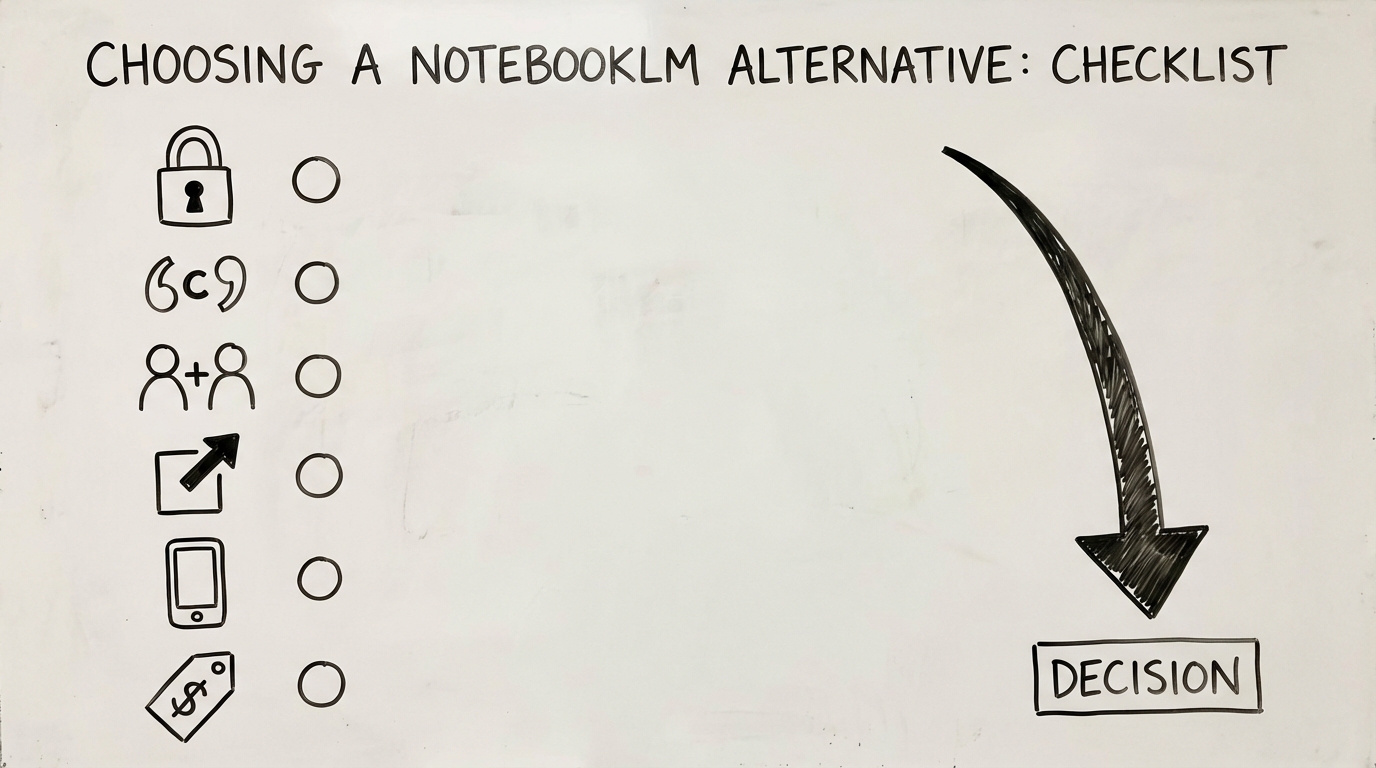
Caption: A simple checklist beats trying nine tools in one weekend.
Fast comparison: Best NotebookLM alternatives (2026)
| Tool | Own sources | Citations | Flashcards | Export | Offline | Mobile |
|---|---|---|---|---|---|---|
| oktiEmpfohlen | Yes | Yes | Yes | Yes | No | soon |
| NotebookLM | Yes | Yes | No | medium | No | web |
| ChatGPT | partial | partial | with prompts | Yes | No | Yes |
| Claude | partial | partial | with prompts | Yes | No | Yes |
| Perplexity | web+docs | Yes | No | medium | No | Yes |
| Notion | Yes | No | No | medium | No | Yes |
| Obsidian | Yes | via setup | via plugin | Yes | Yes | Yes |
| Readwise Reader | Yes | highlights | No | Yes | partial | Yes |
| Zotero (+AI) | Yes | Yes | No | Yes | Yes | limited |
Many tools can show links or quotes, but they don’t replace proper academic citation practices. For papers, use a real reference manager (e.g., Zotero) and verify everything.
Which alternative fits your use case?
You want to study from PDFs (exam prep)
You need retrieval practice + repetition.
- okti: best if you want to generate flashcards and questions from your materials quickly
- Obsidian + a flashcard plugin: best if you want an offline-first long-term system (more setup)
You want to write papers / do research properly
- Zotero: for collecting, organizing, and citing sources
- Claude/ChatGPT: for outlining and improving clarity (with strict source boundaries)
You want fast web research with links
- Perplexity: strong for quick overviews and source discovery
You want an all-in-one note hub across semesters
- Notion: structured databases and collaboration
- Obsidian: durable Markdown, links, local storage
Separate “research” (find sources) from “study” (practice retrieval). Most tools are great at one — rarely both.
Prompt templates: get better results from any tool
These prompts improve accuracy and make outputs more study-friendly.
Template 1: “Only answer from the source”
- “Use only the text below. If it’s not included, answer: Not contained in the source.”
Template 2: Generate exam questions (active recall)
- “Create 20 exam questions in three difficulty levels (easy/medium/hard). Output only the questions.”
- Then: “Provide model answers for questions 1–10 with short reasoning.”
Template 3: Predict mistakes
- “List 10 common student mistakes on this topic. For each mistake, create a control question to catch it.”
Template 4: Export-friendly flashcards
- “Create flashcards in the format: Front / Back. Keep the back under 40 words. No fluff.”
Common pitfalls when switching from NotebookLM
A NotebookLM alternative won’t help if you repeat the same study mistakes. Here are the most common ones:
- Collecting outputs instead of practicing: saving summaries feels good, but doesn’t build recall.
- No boundary on sources: mixing web info with your script without labeling it leads to confusion.
- Too much input: uploading 30 files at once reduces signal-to-noise.
- No review schedule: even great flashcards don’t help if you never revisit them.
Always end a study session with at least 10 minutes of retrieval practice (questions/flashcards) — even if your notes are incomplete.
A simple weekly study plan (works with any tool)
If you want a practical structure, use this weekly loop:
- Mon–Thu (30–60 min/day): create and review flashcards (active recall)
- Fri (45 min): do a mixed quiz session (old + new material)
- Sat (60–90 min): consolidate: fix weak areas, create 10–20 new cards
- Sun (15 min): light review + plan next week
This is boring — and that’s why it works.
Detailed comparison: 9 tools with pros and cons
- Flashcards & active recall from your sources
- Structured summaries + Q&A
- Exports and a repeatable study workflow
- Great for explanations and practice problems
- Source discipline required
- Flashcards possible with prompts
- Local Markdown notes and long-term knowledge base
- AI features mostly via plugins
- Flashcards possible via plugin
1) okti (study-first: from sources to practice)
If you’re using NotebookLM mainly for university learning, ask yourself:
Do you end up with retrieval practice — or just a nice summary?
okti is optimized for turning your materials (PDFs, slides, texts) into flashcards, questions and structured study outputs, so you can actually do active recall.
And since 2026, okti covers the part that made NotebookLM popular, too: an AI chat over your own sources (beta). You can ask questions about your documents, notes and decks, reference specific files with @-mentions, and let the chat create flashcards or quizzes for you. Pro users can even turn documents into interactive AI podcasts — similar to Audio Overviews, but with a “Handraise” feature to interrupt the hosts and ask questions by voice.
Pros
- built for studying, not just researching
- AI chat over your own sources (beta) + interactive AI podcasts (Pro)
- fast conversion from materials → practice
- fits exam prep routines
Cons / not ideal if…
- you need a full academic reference manager (use Zotero for that)
2) ChatGPT (powerful, but you must manage sources)
ChatGPT is great for:
- explanations in simpler language
- generating practice questions
- rewriting notes into clear outlines
But you need strict prompts and structure when sources matter.
3) Claude (strong with long documents + clarity)
Claude often works well for:
- long PDFs
- connecting concepts and explaining trade-offs
- building structured study guides
As with ChatGPT, you’ll want a clear export workflow.
4) Perplexity (web research with links)
Perplexity is closer to “web research with citations” than “chat with my PDFs”.
Use it to:
- get a quick topic overview
- collect sources
Then move your key sources into a study pipeline.
5) Notion (notes + organization)
Notion is excellent for organization and collaboration. But it’s not primarily a “source-grounded AI tutor”.
6) Obsidian (offline-first knowledge system)
Obsidian is a top choice if you want:
- local storage
- Markdown durability
- deep linking between ideas
AI and flashcards usually come from plugins.
7) Readwise Reader (reading + highlights + export)
If your bottleneck is “I can’t keep up with reading,” Readwise Reader helps you capture highlights and export them to your notes.
8) Zotero (+ AI workflow) (academic research)
For papers and citations, Zotero is hard to beat.
9) Mem.ai and similar AI note tools
Fast capture can be helpful, but for studying you still need an active recall loop.
Study workflow: Sources → understanding → flashcards (not just summaries)
Many people search for a NotebookLM alternative because they notice:
“I summarized everything… but I still can’t answer exam questions.”
This workflow fixes that.
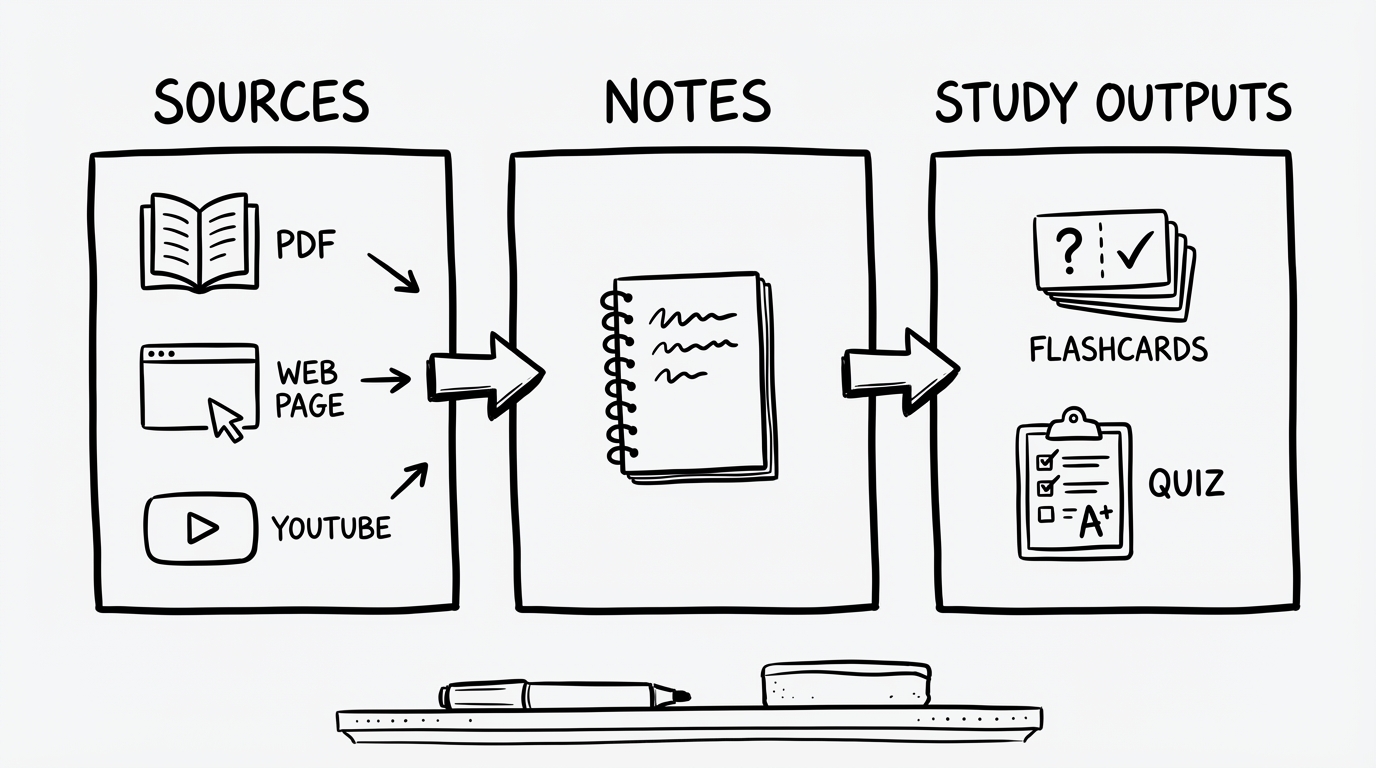
Caption: The key transition is from notes to retrieval practice.
Step 1: Collect only exam-relevant sources (10 minutes)
Create one project per course/module. Add:
- the official script/slides
- problem sets
- 1–3 high-quality external sources (optional)
Step 2: Create an “exam outline” (not a summary)
Ask for:
- definitions
- typical question types
- common confusions
- procedures / step-by-step methods
Step 3: Force active recall
Generate questions like:
- “Name 5…”
- “Compare A vs B”
- “When does X apply — when not?”
- calculation questions with solution steps
Step 4: Turn questions into flashcards and repeat
This is where study-first tools shine. For a concrete walkthrough, see our guide on creating flashcards from a PDF with AI.
Create flashcards straight from your PDFs
okti helps you generate questions and flashcards from PDFs and texts — so you can practice active recall instead of re-reading.
try oktiStep 5: Keep a mistake log (underrated, very effective)
Track:
- what you got wrong
- why you got it wrong
- the tiny rule you’ll remember next time
Export formats: what to look for
Exports are the hidden deal-breaker. If your tool can’t get content into your study system, you’ll stop using it.
Look for:
- Markdown export (best for Obsidian, clean notes)
- copy-paste without formatting noise
- CSV/flashcard-friendly formats (Front/Back)
- links back to the source passage (so you can verify quickly)
If you’re unsure, test one real chapter and check whether you can go from “source” to “10 good flashcards” in under 20 minutes.
As a rule: the best tool is the one you can export from without friction at 1 a.m. during exam week.
Pricing overview: what do NotebookLM alternatives cost?
Pricing varies a lot. A rough orientation:
- Free/low cost: Obsidian (base), Zotero, okti (base)
- Subscriptions (often $5–$25/month): ChatGPT/Claude/Perplexity/Readwise/Notion (depending on plan)
If a tool saves you 30 minutes per week (e.g., generating practice questions), over 12 weeks that’s 6 hours.
At $10/month, you pay $30 over three months for 6 hours saved. It’s worth it if you reinvest the time into active recall.
FAQ: NotebookLM alternative
What’s the best free NotebookLM alternative?
For non-AI note-taking, Obsidian and Zotero are strong free options. For AI features, free tiers exist but are often limited. Prioritize the workflow that actually leads to learning.
What’s best for studying from university PDFs?
Look for long-document handling plus question/flashcard outputs. For exam prep, a study-first tool like okti is often the better fit.
Can I use a NotebookLM alternative offline?
Obsidian and Zotero work offline. Most AI features require internet unless you run local models.
Are “answers with citations” reliable?
Citations help, but you should still verify key claims by reading the referenced passage.
Conclusion
The best NotebookLM alternative isn’t the one with the fanciest AI — it’s the one that helps you:
- understand the material
- practice retrieval (active recall)
- repeat over time (that’s spaced repetition)
If your goal is exam performance, choose a tool and routine that turns sources into practice.
Less tool hopping. More learning.
Try okti and turn your sources into questions, flashcards, and a repeatable study routine.
try okti for freeRelated posts
App alternatives
Anki vs Quizlet in 2026: Which Alternative Is Actually Better for Students?
App alternatives
Knowt Alternative 2026: 9 Better Options for Flashcards, AI Summaries, and Faster Studying
App alternatives
StuDocu Alternative 2026: 9 Legal & Free Ways to Get Study Notes, Summaries, and Flashcards